Strategist guide
Build a strategy on a visual canvas, say where it runs and what it accepts, then publish it. You earn commission when trades that use it make a profit, and investors never see your logic.
Before you start
Create an account with your wallet. That wallet receives your commission, so use one you control long term. Then open Create strategy.
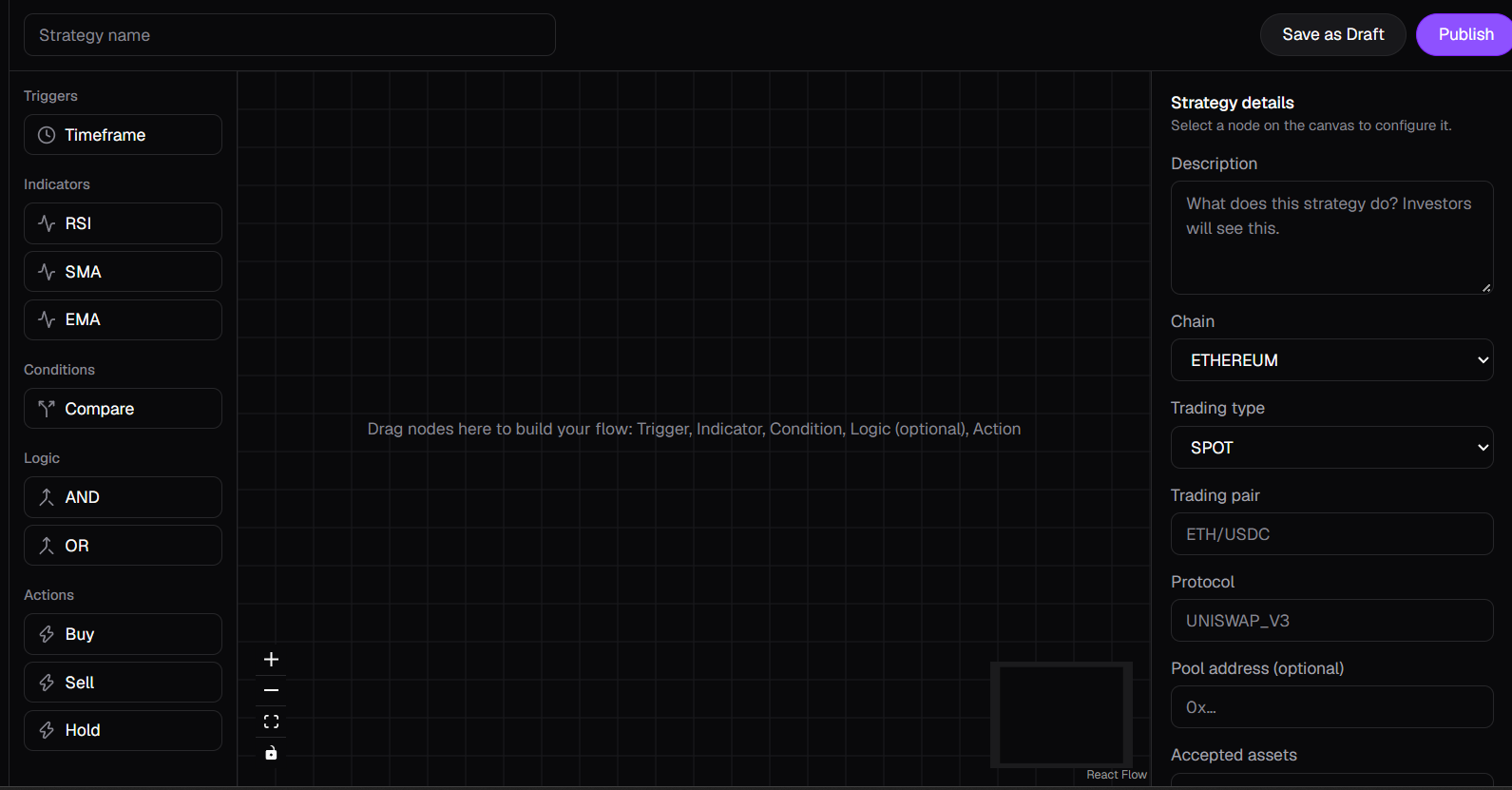
1. Learn the blocks
A flow always reads left to right, from a trigger to an action.
| Block | What it does | Options | Connects to |
|---|---|---|---|
| Trigger | Sets how often the flow runs. | 1m, 5m, 15m, 1h, 4h, 1d | Indicator |
| Indicator | Reads a market value. | RSI, SMA or EMA, period 1 to 500, timeframe | Condition |
| Condition | Compares a reading with a fixed value or a second indicator. | Greater than, less than, crosses above, crosses below | Logic or Action |
| Logic | Combines two or more results. Optional. | AND, OR | Logic or Action |
| Action | Ends the flow with a trade decision. | Buy or Sell with a % of capital, or Hold | Nothing |
2. Build your flow
- Drag blocks from the library onto the canvas, or click one to add it.
- Draw connections from a block's right handle to the next block's left handle. The builder only allows valid connections, and no loops.
- Select a block to set its options in the right panel.
- To remove a block or connection, select it and press Delete, or use the button in the panel.
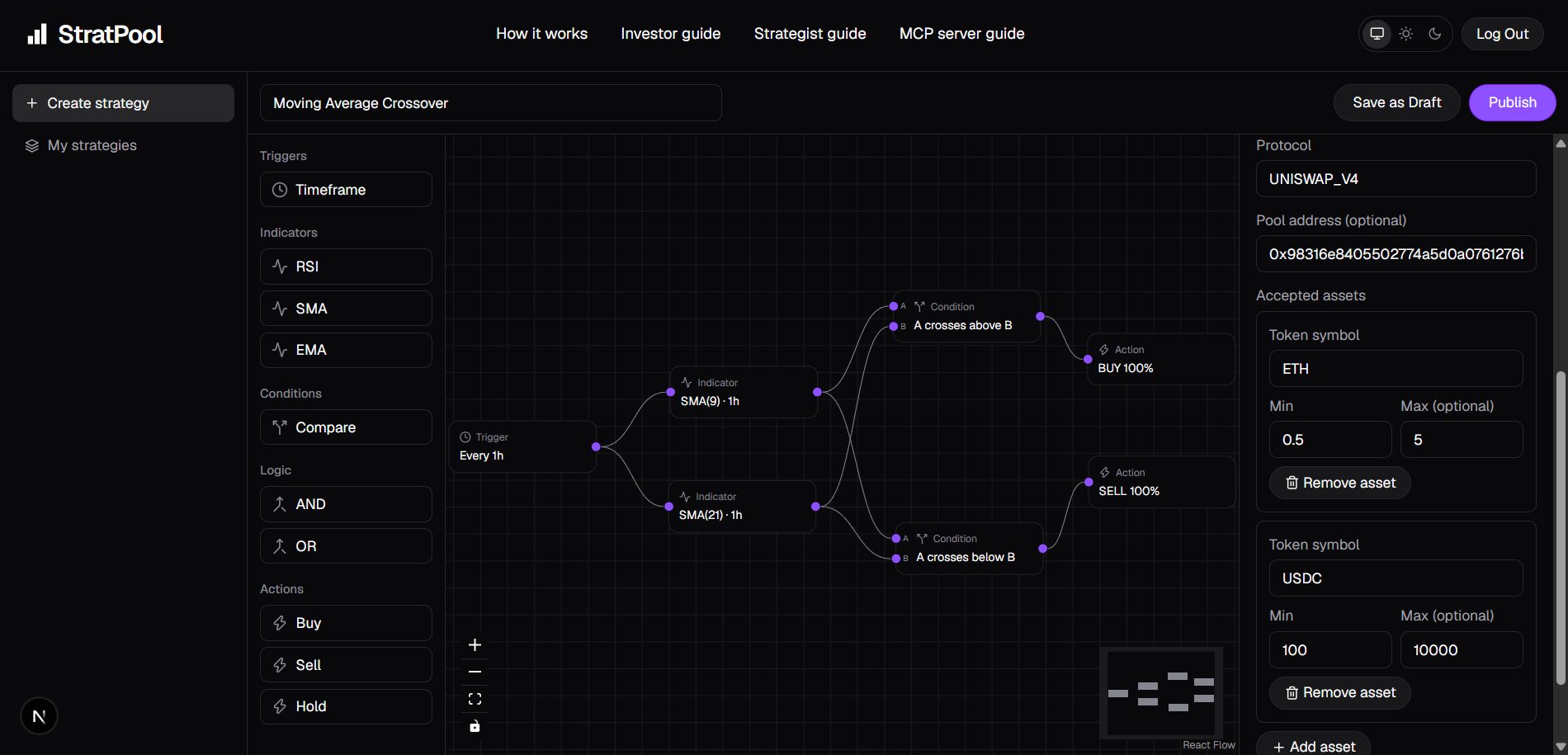
3. Add the strategy details
Name the strategy in the top bar. Click an empty part of the canvas to bring back the details panel, then fill it in.
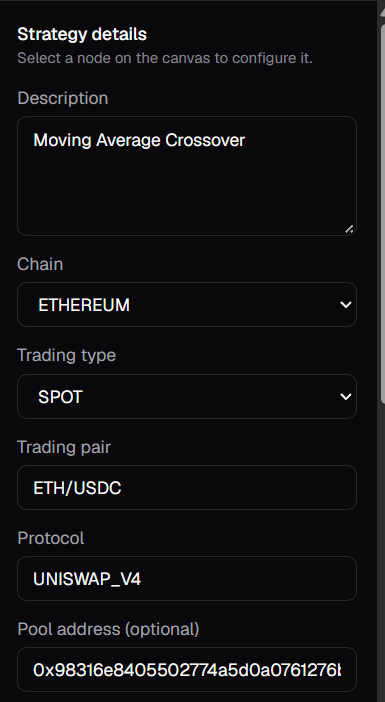
| Field | Notes |
|---|---|
| Description | Investors see this, so explain the approach without giving away the logic. Up to 2,000 characters. |
| Chain and trading type | Where it runs. Choose SPOT for a strategy that can be automated today. |
| Trading pair | The exact pair, such as ETH/USDC. |
| Protocol | UNISWAP_V3 or UNISWAP_V4 are the protocols that can be automated. |
| Pool address | Optional for saving, but automation needs it: a v3 pool address (40 hex characters) or a v4 pool ID (64 hex characters). |
| Accepted assets | Each token you accept, with a minimum and an optional maximum investment. The token must exist on your chain. |
| Risk level | LOW, MEDIUM or HIGH. |
4. Save or publish
Select Save as Draft to keep working later, or Publish to make it available. Both check the flow and details first and list anything to fix.
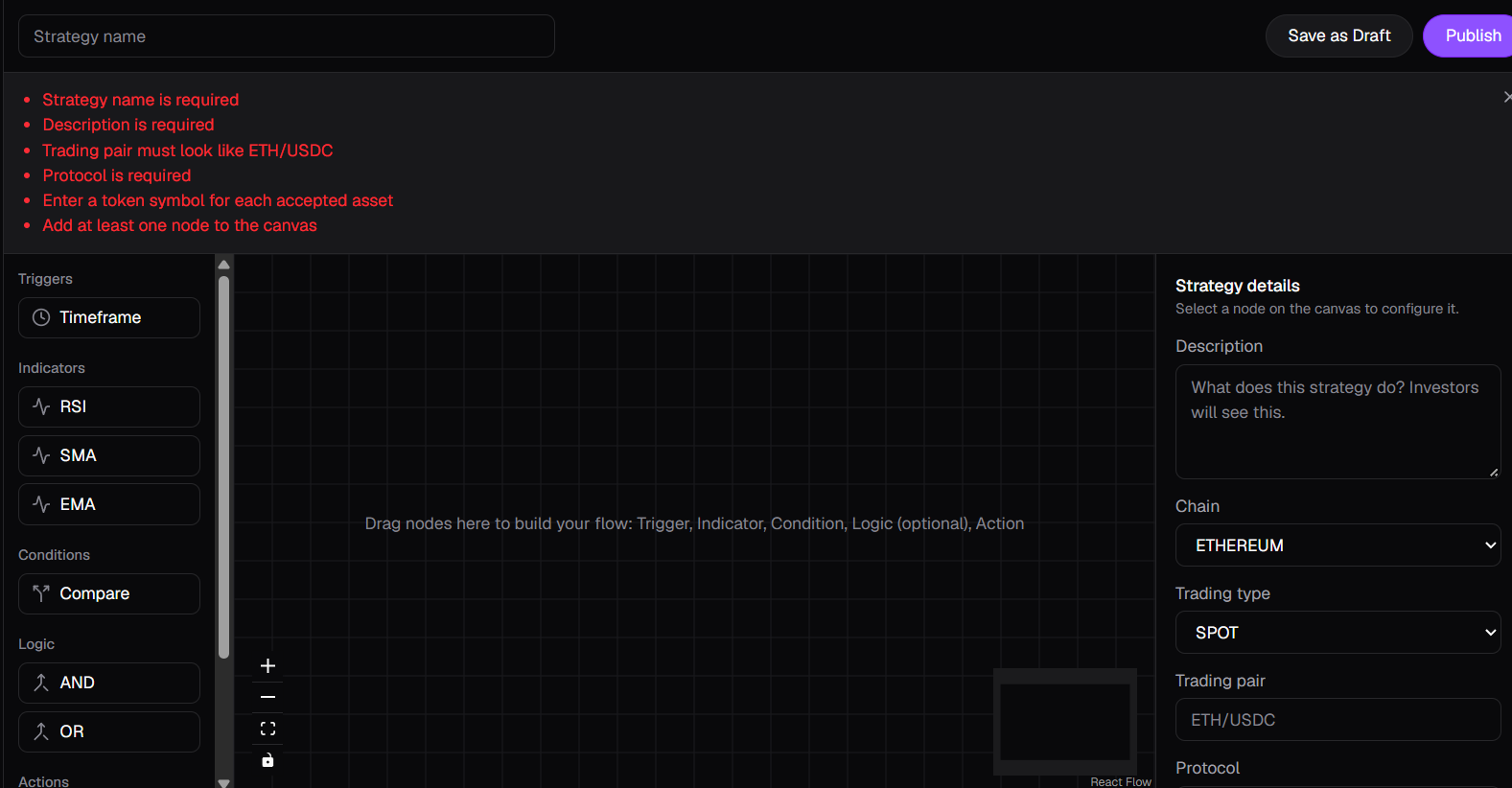
Exact duplicates aren't allowed, but you can publish the same logic for a different pair or pool. Your flow stays private: it's never shown to investors or returned by public APIs.
5. Manage your strategies
My strategies lists your drafts and published strategies. From each card you can edit, publish or take it down, and delete it.
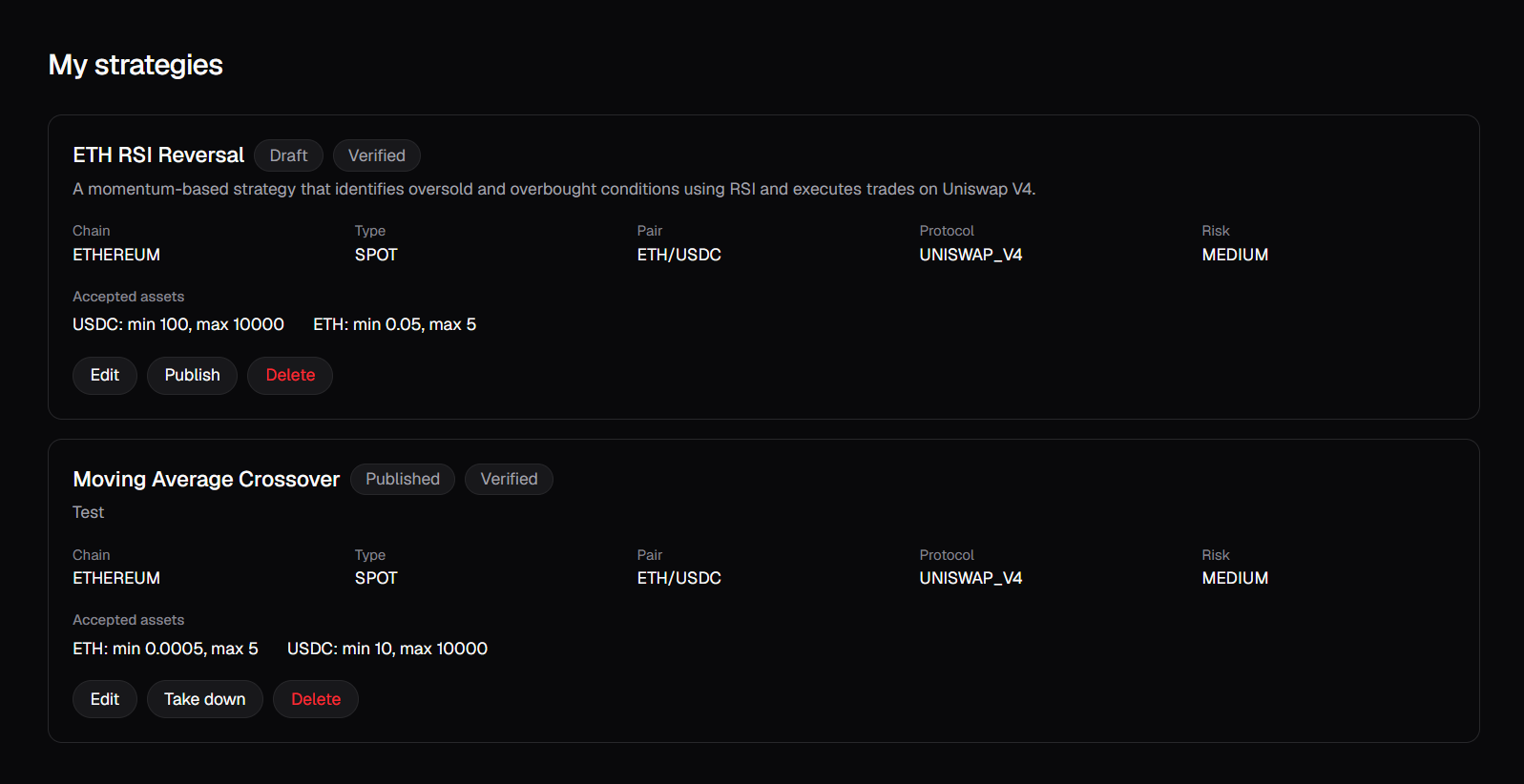
| Label | What it means |
|---|---|
| Draft | Only you can see it. It can't be matched. |
| Published | Available for matching once verified. |
| Not verified | Hasn't passed verification yet, so automation won't deploy it. |
| Verified | Passed verification. Published and verified strategies can be deployed. |
6. Earn commission
You earn 10% of realized profit each time a trade using your strategy closes a position at a profit. It's paid on-chain to your account's wallet, in the token received. Losing trades pay nothing, and a loss isn't carried into later trades.
See the worked example in How it works.