Investor guide
Go from a new account to a live requirement: sign up with your wallet, create a vault, deposit funds and tell StratPool what you want to trade.
Before you start
- A browser wallet, or a mobile wallet that supports WalletConnect.
- Native tokens to pay gas on the chain you choose.
- Funds on that chain. Vaults are available on Ethereum, Base and the Sepolia testnet, which is the safest place to try the flow first.
1. Create your account
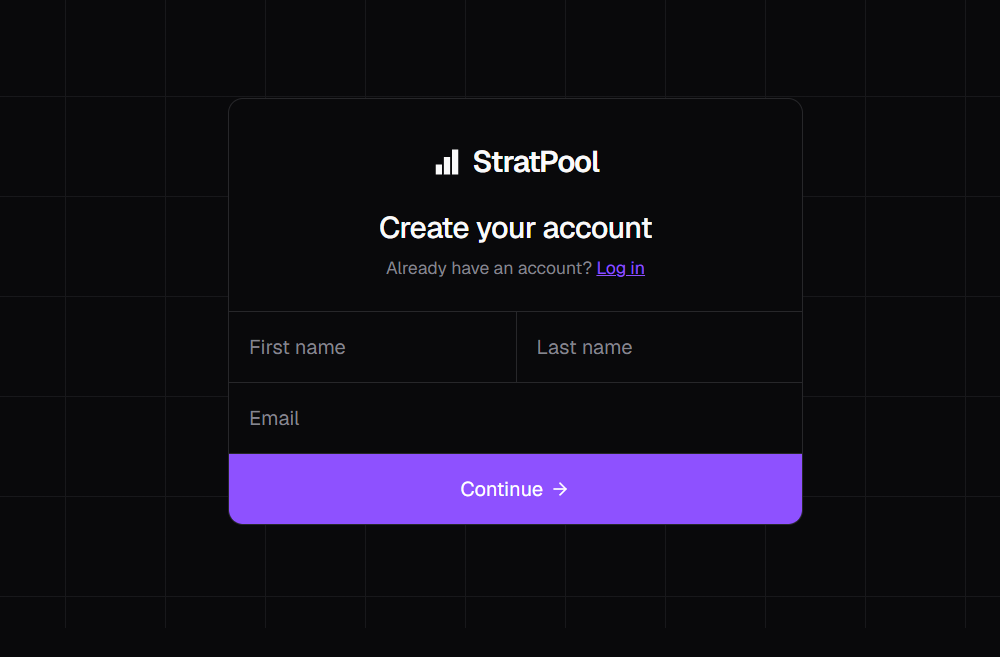
- Open Sign up and enter your first name, last name and email.
- Select Continue.
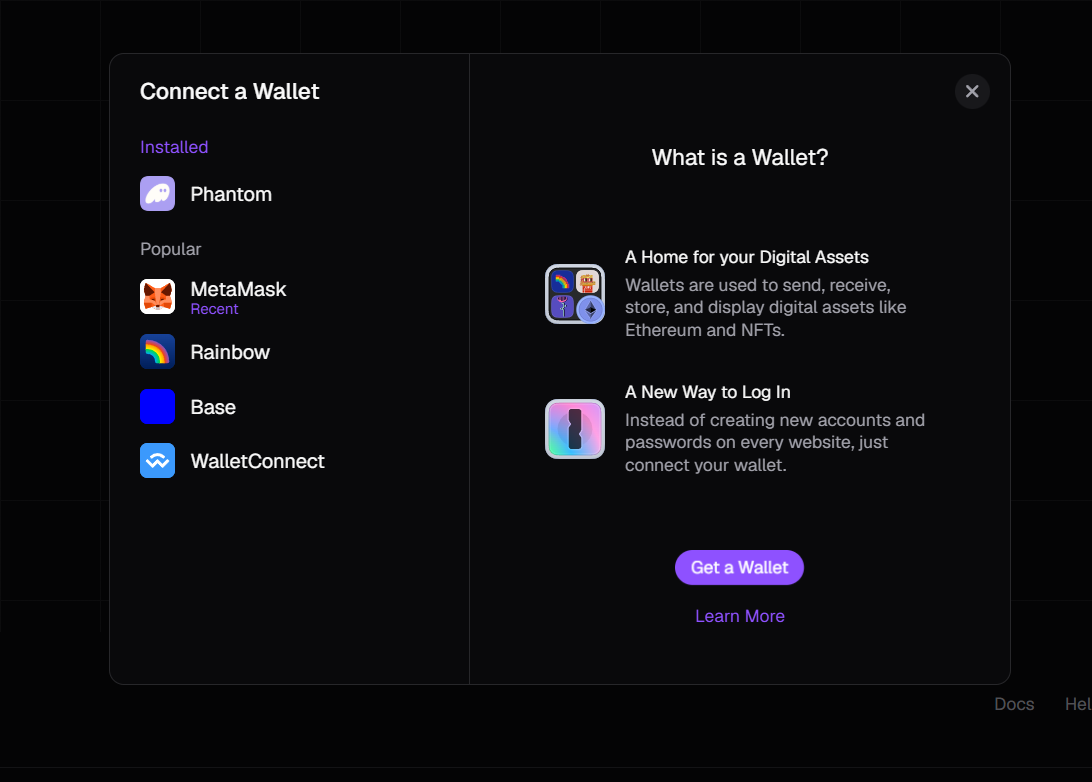
- Choose your wallet, then sign the message it shows. Signing is free and sends no transaction.
2. Create your vault
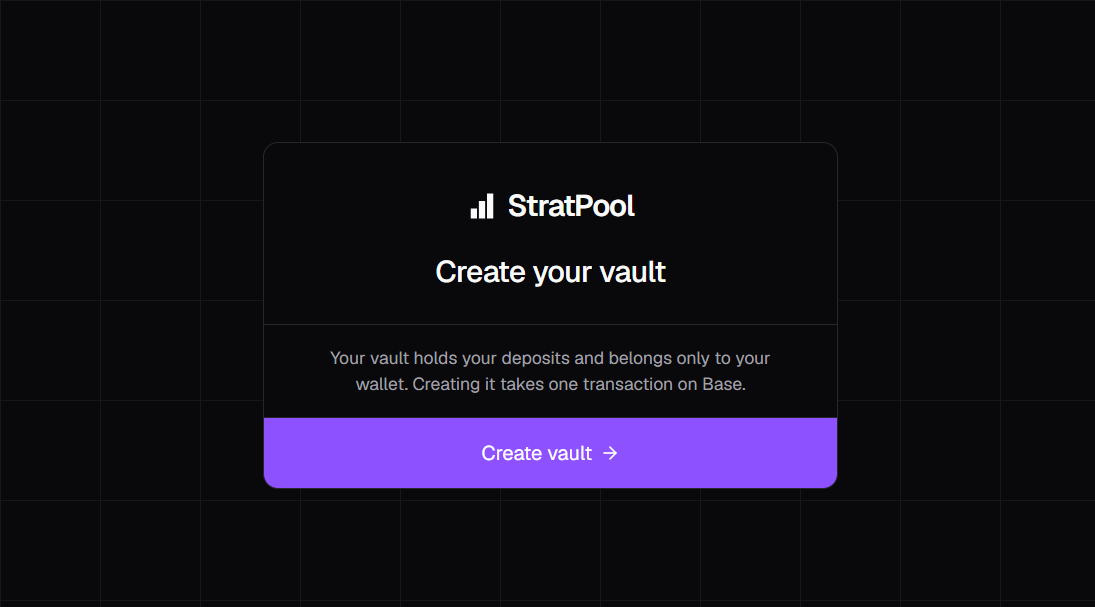
Your vault is a smart contract that holds your deposits and belongs only to your wallet.
- Go to the home page and select Invest. If you have no vault on the current chain, you'll land on the Create your vault page.
- Pick a network with the selector in the navbar.
- Select Create vault and confirm the transaction in your wallet. This costs gas.
You get one vault per chain. Switching network in the navbar takes you to your vault on that chain.
3. Deposit funds
- Open the Vault page in your dashboard.
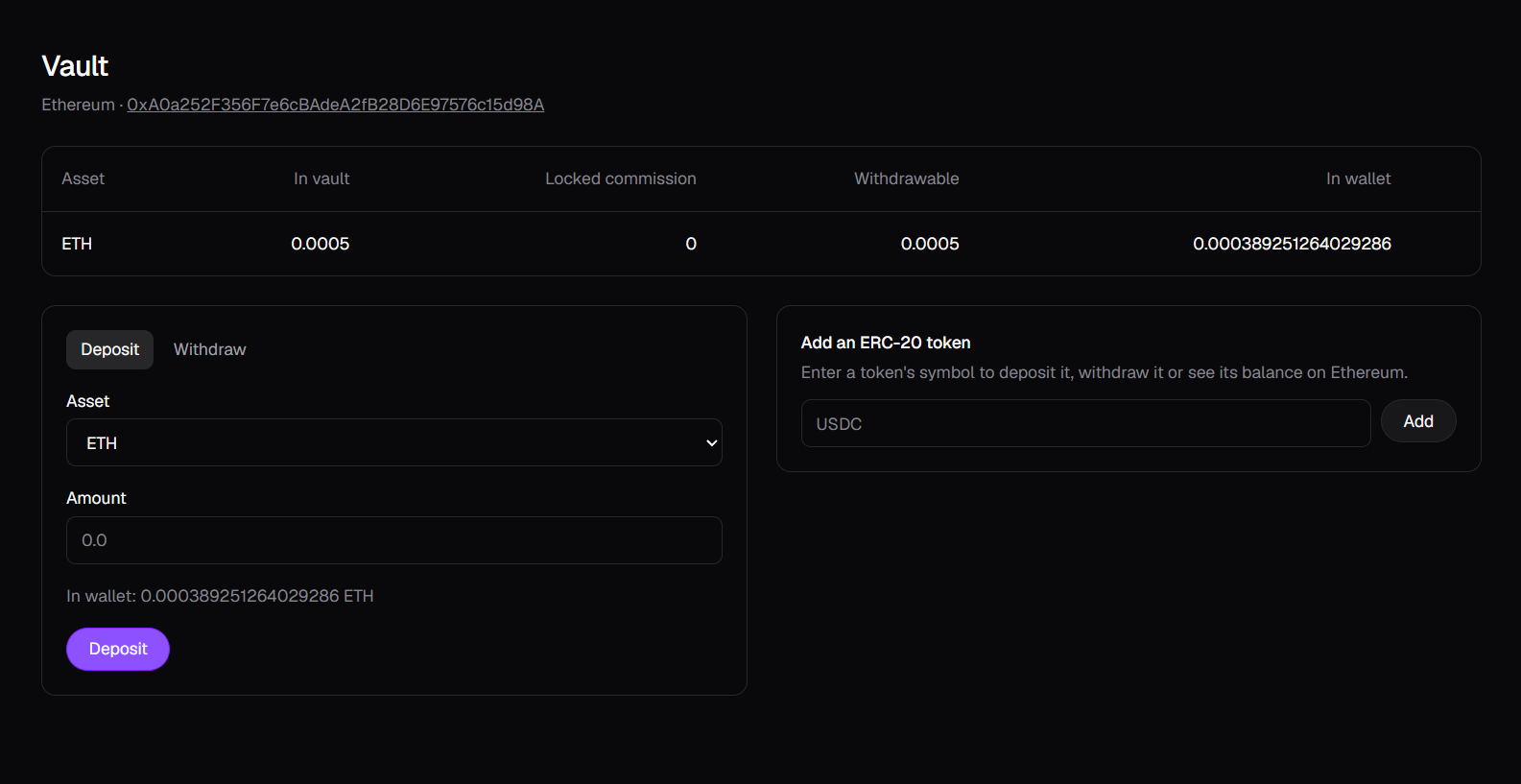
- To use an ERC-20 token such as USDC, type its symbol under Add an ERC-20 token and select Add. ETH is always listed.
- Select Deposit, choose the asset and enter an amount.
- Confirm in your wallet. ERC-20 tokens need an approval transaction before the deposit.
| Column | What it means |
|---|---|
| In vault | The vault's total balance of this token. |
| Locked commission | Commission owed to a strategist that hasn't been paid out yet. |
| Withdrawable | In vault minus locked commission. |
| In wallet | What your connected wallet holds, available to deposit. |
4. Post a requirement
On the Invest page, select Post requirement and fill in the form.
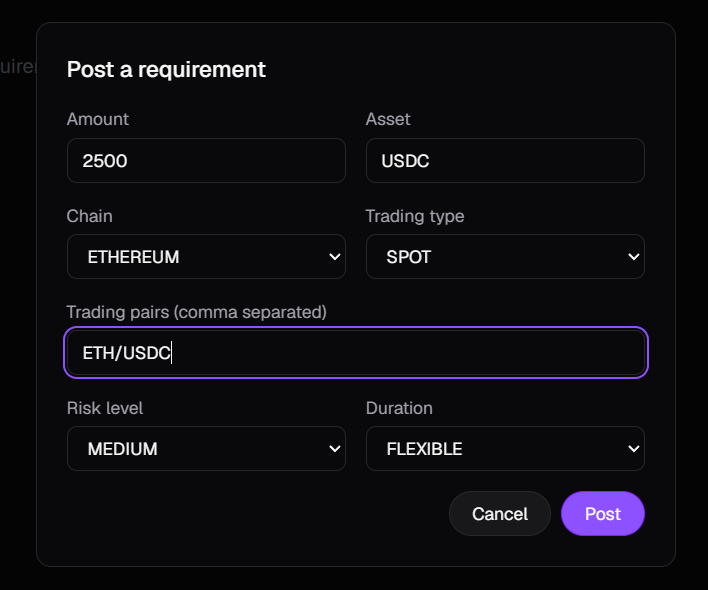
| Field | What to enter |
|---|---|
| Amount and asset | How much to invest and the token symbol, such as 2500 and USDC. |
| Chain | The chain where your funds are. |
| Trading type | SPOT or PERPETUALS. Only spot strategies can be automated today. |
| Trading pairs | One or more pairs separated by commas, such as ETH/USDC, WBTC/USDC. |
| Risk level | LOW, MEDIUM or HIGH. |
| Duration | FLEXIBLE, or FIXED with a length in days or months. |
If your asset is on another chain, bridge it to the chain you selected and deposit it there first. Prefer to post through an AI assistant? See the MCP server guide.
5. Track your results
The Invest page lists your requirements, newest first.
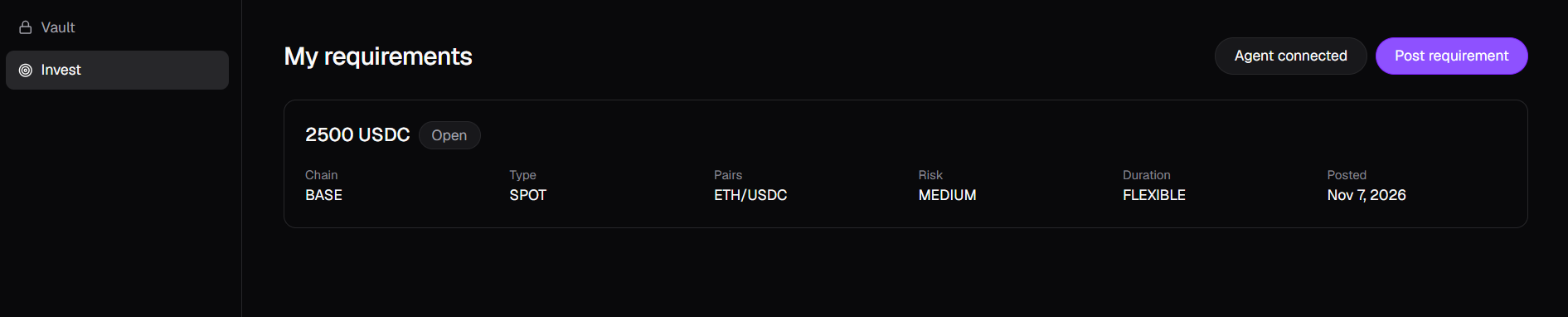
| Label | What it means |
|---|---|
| Open | Waiting for a matching strategy. |
| Matched | A strategy has been assigned. |
| Strategized | The automation is deployed. Realized P&L appears on the card. |
| Closed | The requirement has ended. |
Realized P&L is shown per token, after commission, and only counts closed trades. Open positions aren't included.
6. Withdraw
- Open the Vault page and select Withdraw.
- Choose the asset and enter an amount up to the Withdrawable balance.
- Confirm in your wallet. Funds always go to the wallet that owns the vault.
You can read more about fees and execution in How it works.
Troubleshooting
| You see | What to do |
|---|---|
| Switch your wallet to 0x… | Your connected wallet isn't the one on your account. Switch to that address. |
| StratPool isn't available on this network | Pick Ethereum, Base or Sepolia in the navbar. |
| No token with symbol … found | Check the symbol and that the token exists on the current chain. |
| That's more than you can withdraw | Part of the balance is locked commission. Enter the Withdrawable amount or less. |